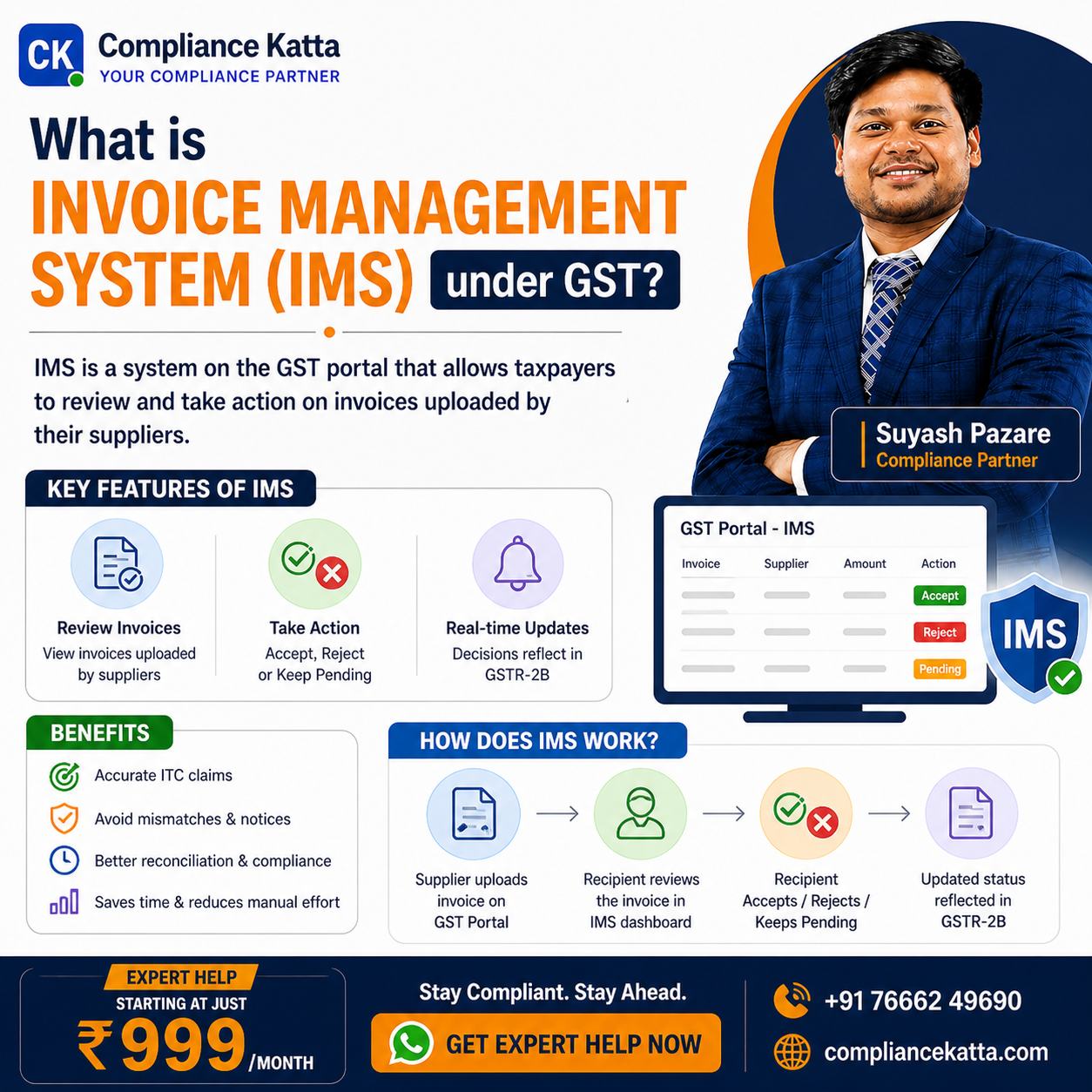
Introduction to Invoice Management System (IMS)
The Goods and Services Tax Network (GSTN) has continuously evolved the portal to simplify auditing and enhance transparency. On 14th October 2024, the Invoice Management System (IMS) went live, revolutionizing how recipient taxpayers manage Input Tax Credit (ITC). IMS acts as a communication hub between suppliers and recipients, allowing the latter to verify invoices before they flow into the GSTR-2B. At Compliance Katta, we believe understanding IMS is crucial for maintaining a clean compliance record and optimizing working capital.
Key Highlights of IMS
- Actionable Control: Recipients can Accept, Reject, or Keep invoices Pending.
- Seamless Integration: Accepted documents directly populate the GSTR-2B for ITC claims.
- Deemed Acceptance: Inaction by the GSTR-3B filing deadline results in the system automatically accepting the records.
- Transparency: Optional remarks for 'Rejected' or 'Pending' actions are visible to suppliers, facilitating faster reconciliation.
- Offline Support: An Excel-based tool is available for managing high-volume data without constant internet connectivity.
Core Features and Recent Enhancements
As of late 2025 and early 2026, several critical updates have been integrated into the IMS to broaden its scope and functionality:
- Import of Goods (Effective Oct 2025): A new section allows taxpayers to view and take action on Bill of Entry (BoE) data for imports, including those from SEZ units.
- ITC Reversal Logic: For Credit Notes, recipients can now declare whether ITC was previously availed. If not, no reversal is triggered upon acceptance, ensuring taxpayers only reverse what they actually claimed.
- GSTR-1A Integration: Suppliers can amend submitted documents through GSTR-1A, which triggers a review in the recipient’s IMS for the subsequent tax period.
Expert Advice from Compliance Katta: Always review the 'Pending' invoices before the end of the financial year. Under Section 16(4) of the CGST Act, there is a hard deadline for claiming ITC, and delaying 'Pending' records beyond this could lead to permanent loss of credit.
Detailed Comparison: IMS Actions and Their Impacts
| Action Taken | Impact on GSTR-2B | Impact on Recipient | Impact on Supplier |
|---|---|---|---|
| Accept | Included in ITC Available | ITC is eligible for claim in GSTR-3B. | No change in liability. |
| Reject | Excluded from GSTR-2B | No ITC is credited to the recipient. | No immediate change; requires GSTR-1A or subsequent GSTR-1 amendment. |
| Pending | Carried forward to next month | ITC is deferred; does not appear in current 2B. | No change in liability. |
| No Action | Deemed Accepted | Automatically included in GSTR-2B. | No change in liability. |
How Does the IMS Workflow Function?
The process starts when a supplier saves or files their GSTR-1/IFF. Here is the structured flow of how records move through the system:
- Record Reporting: Supplier uploads invoice/CDN/Debit Note in GSTR-1 or IFF.
- Visibility: The record immediately appears on the recipient’s IMS dashboard.
- Recipient Action: The recipient chooses to Accept, Reject, or mark as Pending before filing GSTR-3B.
- Recomputation: If actions are taken after the 14th of the month, the recipient must click 'Recompute GSTR-2B' to reflect changes.
- Finalization: The finalized GSTR-2B data flows into Table 4 of GSTR-3B for tax payment.
Step-by-Step Guide to Using the IMS Online Tool
- Step 1: Accessing the Dashboard: Login to the GST Portal > Services > Returns > Invoice Management System (IMS).
- Step 2: Reviewing Invoices: View inward supplies categorized by B2B, Credit Notes, and BoE. Check the count under 'No Action'.
- Step 3: Taking Bulk Actions: Use checkboxes to select multiple records and click 'Accept', 'Reject', or 'Pending'.
- Step 4: Handling Credit Notes: When accepting a Credit Note, answer the prompt "Does ITC need to be reduced?" Select 'Yes' for reversal (partial/full) or 'No' if ITC was never claimed.
- Step 5: Adding Remarks: Save optional remarks for rejected items to inform the supplier of the discrepancy.
- Step 6: Syncing with GSTR-2B: Ensure all actions are saved. Recompute GSTR-2B if necessary and proceed to GSTR-3B filing.
Compliance Checklist for Businesses
- Daily/Weekly Reconciliation: Regularly check the IMS dashboard to avoid a pile-up of 'No Action' records.
- Communication Protocol: Ensure the purchase team communicates with the finance team regarding rejected invoices so suppliers can be notified immediately.
- Offline Tool Usage: For businesses with more than 500 invoices monthly, use the Excel-based offline tool for faster processing.
- Special Record Monitoring: Remember that Credit Notes and downward amendments can only be kept 'Pending' for one tax period.
Conclusion
The Invoice Management System is a transformative step towards a paperless and transparent tax environment. By actively managing the IMS, businesses can minimize notices, speed up reconciliations, and ensure that every rupee of eligible ITC is claimed accurately. For expert assistance in navigating these complex GST updates, Compliance Katta remains your dedicated partner in compliance excellence.
Common Questions
Q.What happens if I take no action on an invoice in the IMS?
If a recipient takes no action on an invoice by the time they file their GSTR-3B, the system treats the record as 'Deemed Accepted'. This means the invoice will automatically flow into your GSTR-2B and be considered for your Input Tax Credit (ITC) claim for that period.
Q.Can I keep a Credit Note pending for multiple months in IMS?
No. Specified records, including Credit Notes and downward amendments of invoices, can only be kept as 'Pending' for one tax period (one month for monthly filers or one quarter for QRMP filers). After this period, you must either Accept or Reject the record; otherwise, it will be deemed accepted.
Q.What should I do if I accidentally reject a valid invoice?
If you wrongly reject a document and file your GSTR-3B, you must ask your supplier to report that document again. They can do this via GSTR-1A in the same period or as an amendment in the GSTR-1 of a subsequent period, allowing you to accept it correctly in the next IMS cycle.
Q.How does the 'Import of Goods' feature work in IMS?
Starting October 2025, Bill of Entry (BoE) details from the ICEGATE portal are fetched into the IMS. Recipients can view individual BoE records for imports (including SEZ) and take necessary actions to ensure the ITC matches their internal records before it reflects in GSTR-2B.
Q.Is the IMS mandatory for QRMP taxpayers?
Yes, the IMS functionality is available for QRMP taxpayers. However, while they can take actions monthly, the GSTR-2B will only be auto-populated quarterly. It helps small businesses maintain their reconciliation continuously rather than waiting for the end of the quarter.